
Baile charme AI with a friend
Two photos, two dancers. Your friend steps out of the crowd and joins your groove.
Updated Oct 20, 2026
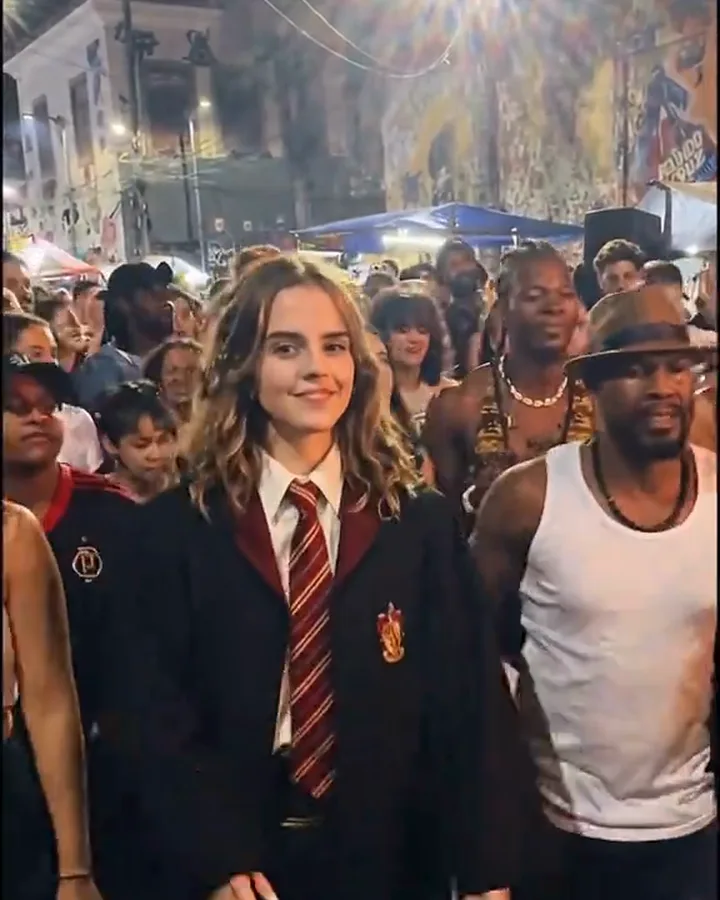
An example from the trend
In the original clip a second dancer moves up beside the lead and copies the step. This template turns that moment into a duet: you start alone, your friend arrives at your shoulder, and you finish the routine together.
What happens in the 12 seconds
- 0–3 s: You look back at the camera and start the step.
- 3–5 s: Your friend comes through the crowd and lines up next to you.
- 5–10 s: Both of you do the same charme step, side by side.
- 10–12 s: You turn together.
The best photos for With Your Friend
- Two separate photos, one person each. They do not need to be taken together.
- Similar framing helps: two waist-up shots look more natural than a close-up and a full-body photo.
- Both people must be adults and must have agreed to be in the video.
Good to know
- Photo 1 is the lead dancer and Photo 2 is the friend who joins.
- Uses 1 credit, the same as a solo video.
- Two photos · 12 seconds · 9:16 · original sound · no watermark · 1 credit.
Other baile charme templates
- Viaduto Classic: You, in your own clothes, owning the packed baile under the viaduct.
- Casal no Charme: A couple in the crowd, dancing the charme step together.
- Vovô no Baile: You at 75, still the best dancer at the baile.
- Preto e Branco: The same night, in grainy black-and-white film.
- 80s Action Look: Faded denim, a white tank top and a wide belt, like the remakes that went viral.
Questions
Can I use one photo of both of us together?
Two separate photos give the best faces because each person fills the frame. If you only have a photo of you both, crop it into two photos, one face each.
Does a two-person video cost more?
No. Every template costs 1 credit, including the two-photo ones.